Find your way through.
Navigate the mind map or outline, choose a node and plan an investigation direction with Agent Control.
Nodes for REA
A persistent visual workspace for exploring software with REA and your connected AI agent. Keep the map, findings and supporting evidence together.
Early Windows x64 preview. AI account access is separate.
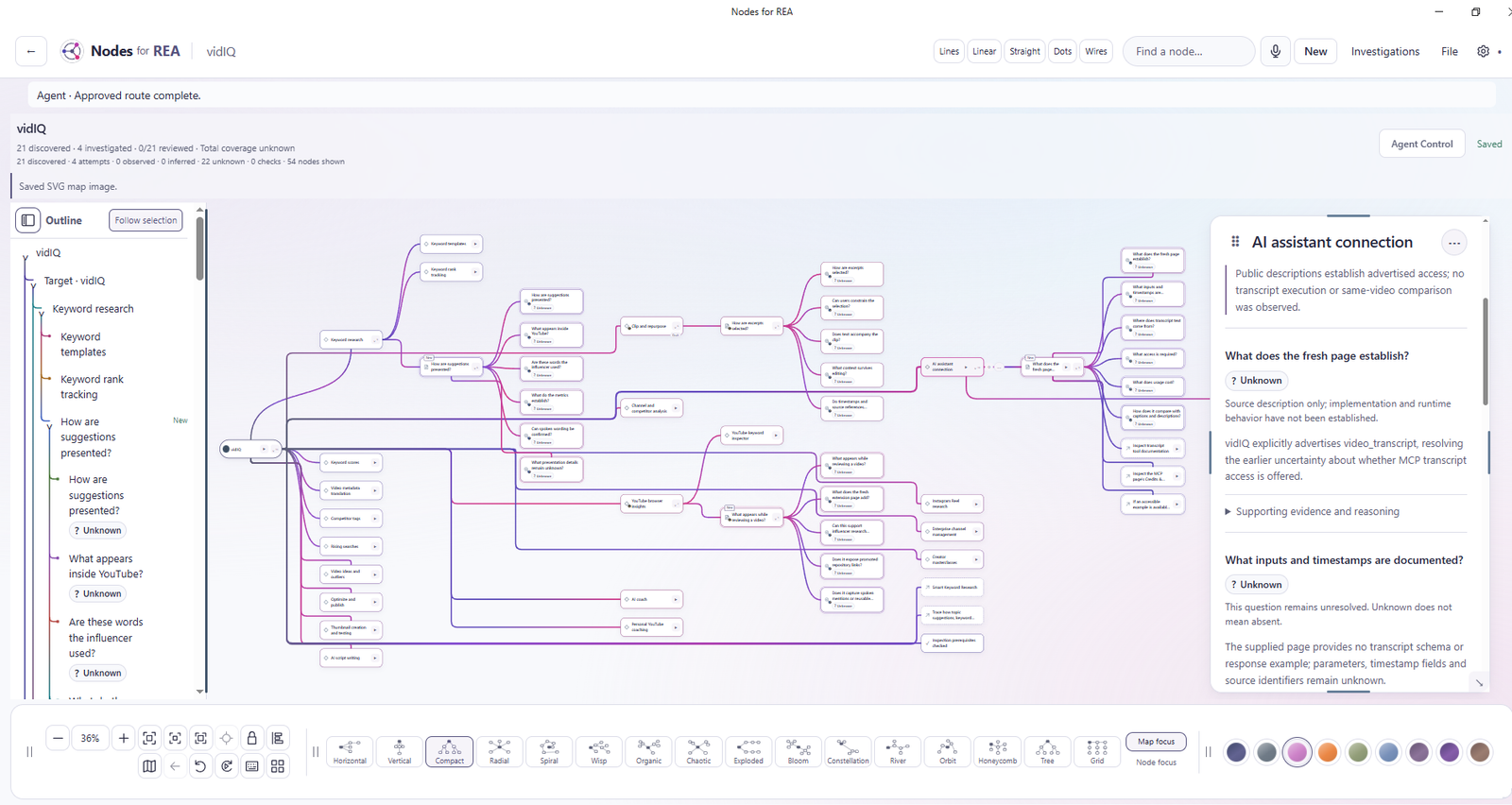
Actual application screenshot from the vidIQ investigation. The selected finding distinguishes a public description from unverified runtime behavior.
For software explorers
Investigation takes more than one question.
Use Nodes with REA and an AI agent to explore an application, follow a question and keep partial findings. The visual map holds the wider context while you work on one part.
It’s for developers and curious people investigating software they have permission to explore.
In the workspace
Navigate the mind map or outline, choose a node and plan an investigation direction with Agent Control.
Keep findings connected to their supporting evidence. Observed, Inferred and Unknown labels help you read what a result actually establishes.
Save investigations as .reanodes documents. Return to the map, retained findings and partial work rather than reconstructing the conversation.
Current availability
The public project hosts the preview download, setup guidance and release notes.
View Windows previewGood to know
REA is the reverse-engineering toolkit used for software inspection. Nodes adds a persistent visual workspace around investigations with REA and your connected AI agent.
No. Connect an agent through Setup. Nodes organizes the investigation and its findings; your account provides model access.
Yes. Use File → Save As to keep a .reanodes document, and File → Open to return to it. Keep backups before updating, and follow the release’s instructions for moving data.
It is an early preview. Review the known issues in the release notes and inspect the supporting evidence rather than treating every AI conclusion as established.
The GitHub releases page is the current home for published downloads and release notes. Follow the project there for new versions.
Made by Gorgeous Systems